
Search...


Shipping to 35 countries
Your satisfaction our priority
100% secure payment
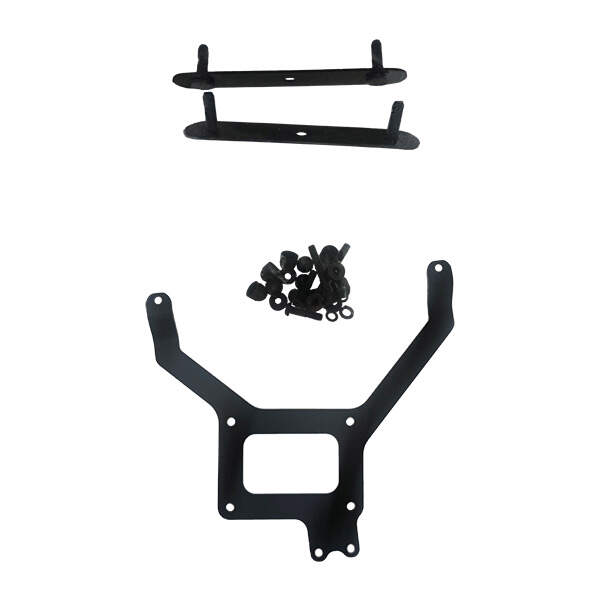
Reference: 19909
Anchor Kit Givi for Tool Box S250 Honda CRF1000L Africa Twin
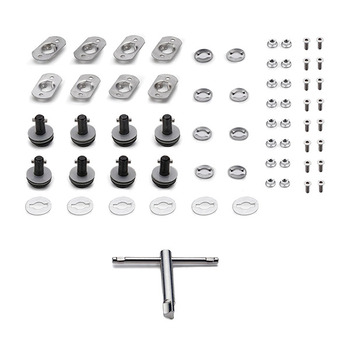
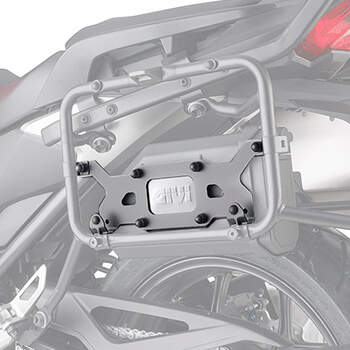
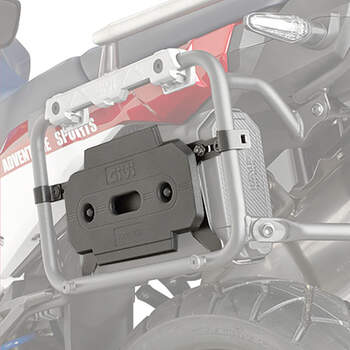
Set of Givi anchors specific for mounting the Tool Box S250, on the left side luggage rack of the Honda CRF1000L Africa Twin from 2016 to 2017. Ref: TL1144KIT
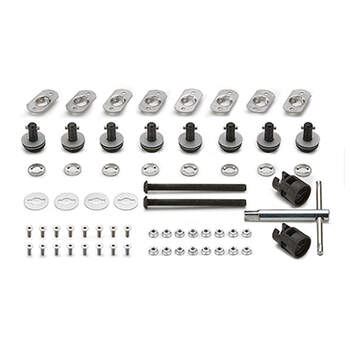
Kit of Givi screws and supports to complete the assembly of the toolbox on the side case rack.
For the correct installation of the S250 Tool Box on your motorcycle, from Givi , It is essential to purchase this set of screws with specific anchors for your motorcycle.
Specifications :
- Kit compatible with Givi's S250 toolbox
- Specific kit to mount on the original side stand of the Honda CRF1000L Africa T motorcyclewin from 2016 to 2017
Other interesting proposals




ratings
0 opinions
© Copyright · 2026 Eurobikes / All rights reserved.


Control your privacy
We use our own and third-party cookies for analytical purposes based on your browsing habits (for example, pages visited) thanks to Google Analytics services. Click "here" to consult our cookies policy. For more information on how we use personal information and cookies, you can consult our Privacy Notice page and our Cookies Policy.
We use cookies and similar necessary tools that allow you to shop and improve your shopping experiences. The specific uses we make of these technologies are described in detail on the page dedicated to our cookies policy. In our cookies policy, we inform you clearly and precisely about the cookies we use, detailing what a cookie is, what it is for, what types of cookies we use, what its purpose is, and how you can configure or disable them if you wish.
You can allow, block, or delete the cookies installed on your equipment by configuring the options of your Internet browser. In the event that you do not allow the installation of cookies in your browser, it is possible that you will not be able to access some of the services and that your experience on our website may be less satisfactory.
Press the "Accept and continue" button to confirm that you accept the use of cookies or click on "Configure" to manage your preferences.